
Adding items
An item in Stache is, at minimum, a photo. Everything else — name, description, quantity, tags — is optional and can be added whenever. Or never.
The fast path
Section titled “The fast path”- Scan the bin’s label (or open the area) so new photos file into it.
- Snap a photo. That’s it — it’s filed.
Work in the other order too: snap first, pick the area after. Useful when your hands are full.
The optional extras
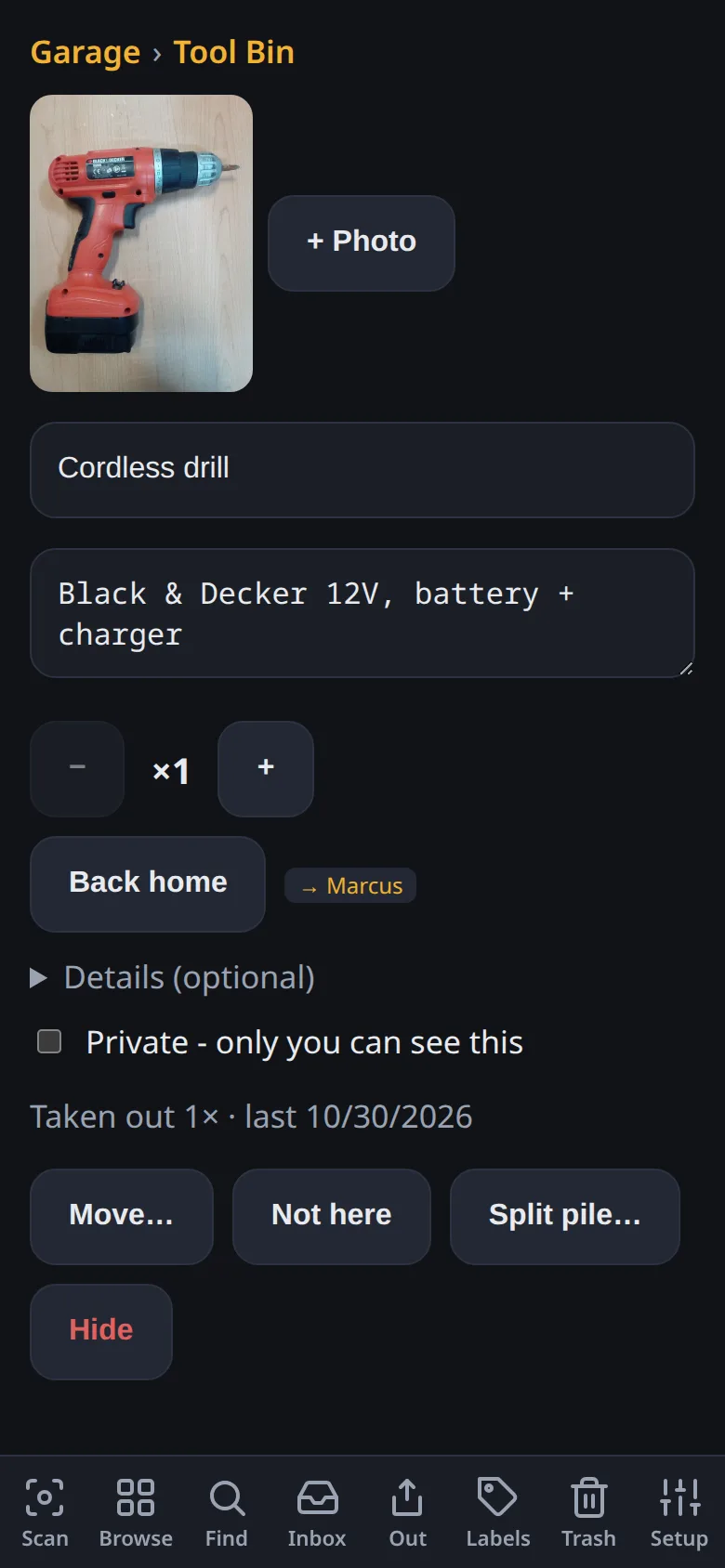
Section titled “The optional extras”Open any item to add:
- Name and description — searchable, editable anytime
- Quantity — for consumables and multiples
- Tags — free-form, joins the search surface
- Details — purchase date, price, retailer, serial number, warranty end, restock-below threshold
- “Goes with” links — connect things that belong together (charger ↔ camera, lid ↔ pot)
- More photos — an item can have several
Receipts
Section titled “Receipts”Photograph a receipt and Stache can split it into separate items — one photo, many items. Handy for filing a haul without re-photographing everything.
AI suggestions
Section titled “AI suggestions”New photos get suggested names, descriptions, and tags in the background via AI suggestions — always as suggestions you confirm, never silent overwrites. “Split pile” can even break a photo of many things into separate items you approve. It’s on by default; turn it off in Settings if you’d rather not use it.
The Review queue
Section titled “The Review queue”Review collects things worth a glance: unnamed items, possible duplicates (merge either way, or keep separate), and items whose AI pass failed (one-tap retry). There’s no obligation — it’s a tidy-up list, not a chore queue.
Filing an item is undoable, like most actions. The toast that appears after each action has Undo — or find it later in the item’s history.